
Yes, you can absolutely make your own basketball card! It’s a fun and creative way to celebrate your favorite players, your own basketball journey, or even create unique gifts for fellow fans. This guide will walk you through everything you need to know to create your own basketball card, from initial concept to the final print.
Why Make Your Own Basketball Card?
Basketball card collecting has been a passion for many for decades. While collecting officially licensed cards is a thrill, there’s a special kind of satisfaction in creating something entirely unique. Whether you’re looking to immortalize a memorable moment, design a card for a local league star, or simply express your artistic side, making your own basketball card is a rewarding project.
This guide is designed for everyone, from beginners who want to dip their toes into making sports cards to seasoned fans looking to add a personal touch to their collections. We’ll cover the essential elements of basketball card design, how to create basketball cards from scratch, and where to get them printed. Get ready to design your own basketball card and bring your vision to life!
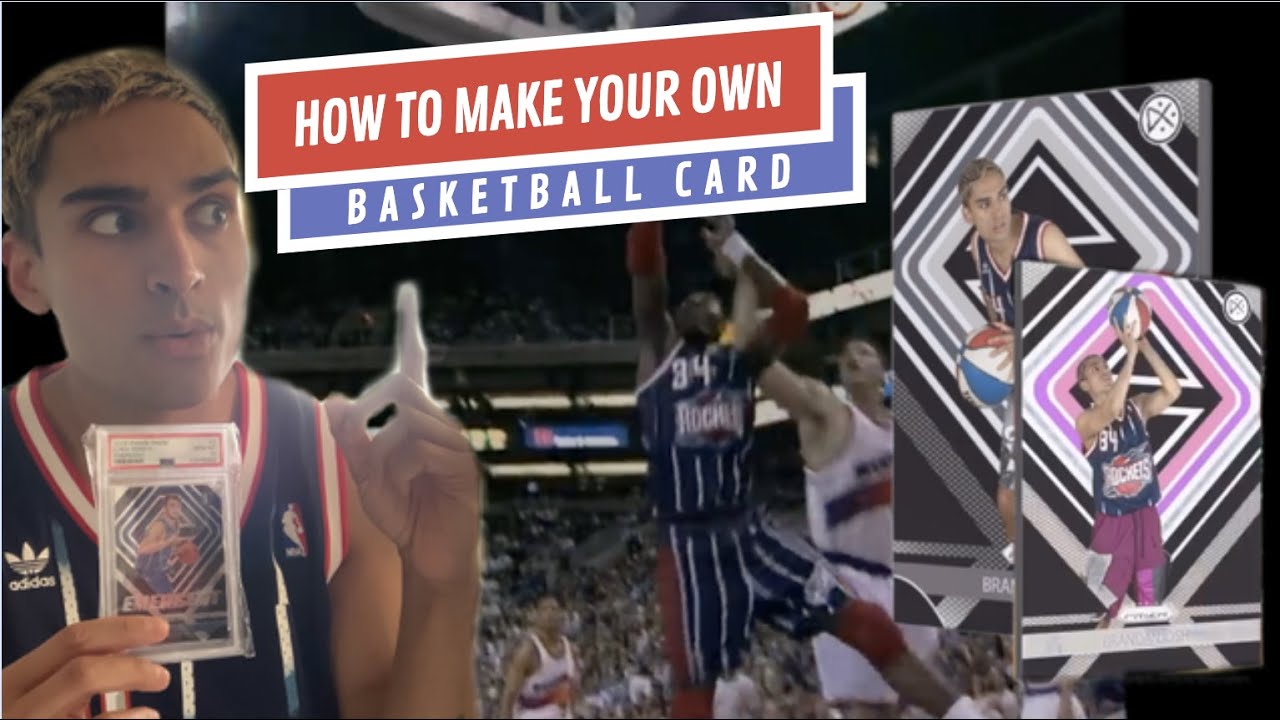
Image Source: i.ytimg.com
The Foundation: Planning Your Basketball Card
Before you jump into design software or grab your craft supplies, a little planning goes a long way. This stage is crucial for a polished and professional-looking card, especially if you’re aiming for something that mimics official releases.
What Goes on a Basketball Card?
A classic basketball card, whether modern or vintage, typically includes several key components. Familiarizing yourself with these elements will help you decide what information to include on your custom basketball cards:
- Player Image: This is the star of the show. A high-quality photo of the player is essential.
- Player Name: Clearly displayed, usually in a prominent font.
- Team Name/Logo: Identifies the team the player represents.
- Team Colors/Branding: This helps define the card’s overall look and feel.
- Card Number: A unique identifier for the card within a set.
- Year/Season: Indicates when the card was relevant.
- Statistics: Key performance metrics for the player.
- Biography/Notes: A brief description of the player or a highlight.
- Manufacturer Logo: Traditionally, this would be the brand that printed the cards (e.g., Topps, Panini).
- Border and Background Design: These elements contribute to the overall aesthetic.
- Autograph/Relic Area (Optional): For more premium cards, though you won’t be able to replicate these physically unless you have an actual autograph or memorabilia.
Defining Your Card’s Purpose
The “why” behind your card will heavily influence its design and content.
- Commemorative Card: Celebrating a specific achievement, milestone, or retirement.
- Fan Card: Honoring your favorite player, perhaps with a unique illustration or a personal message.
- Team Card: Representing your local youth league, school team, or even a fantasy league.
- Personal Achievement Card: For your own basketball accomplishments, like winning a championship.
- Artistic Card: Focusing more on a unique artistic style rather than traditional stats.
Gathering Your Assets
Once you know what you want to include, you’ll need the raw materials.
- Images:
- High-Resolution Photos: This is paramount. For official-looking cards, you need clear, well-lit images. If you’re using photos of yourself or your team, take them with good lighting. For famous players, you’ll need to be mindful of copyright if you plan to distribute them widely. For personal use, finding good images online is usually sufficient.
- Logos: Team logos, league logos, or even your own created logo. Ensure they are high-quality and clear.
- Text Information:
- Player Stats: You can find these on sports statistics websites.
- Player Bio: Short, interesting facts about the player.
- Your Own Text: Messages, quotes, or team names.
- Inspiration:
- Existing Basketball Cards: Browse vintage and modern basketball card collecting examples for design ideas. Look at how different manufacturers approach layout, typography, and color schemes.
Designing Your Basketball Card: The Creative Process
This is where the magic happens! You’ll be translating your plan into a visual reality. There are several approaches to basketball card design, depending on your technical skills and desired outcome.
Option 1: Using Online Basketball Card Makers
For a quick and user-friendly experience, online basketball card maker tools are fantastic. These platforms often provide pre-made basketball card templates that you can easily customize.
Popular Online Tools:
- Canva: Offers a vast library of templates, graphics, and fonts. You can search specifically for “sports card” or “basketball card” templates and customize them with your images and text. It’s very intuitive for beginners.
- Fotor: Similar to Canva, Fotor provides design templates and editing tools that are well-suited for creating basketball cards.
- Photopea: A free, web-based photo editor that closely resembles Photoshop. It’s more advanced but offers greater control if you want to design your own basketball card with more intricate details.
Steps for Using Online Makers:
- Choose a Template: Browse the available basketball card templates and select one that fits your aesthetic. Look for designs that allow for prominent photo placement and clear text areas.
- Upload Your Images: Drag and drop your player photos and team logos into the design space.
- Add Text: Input player names, stats, bios, and any other information. Most tools allow you to choose from a variety of fonts.
- Customize Colors and Elements: Adjust background colors, borders, and add graphic elements like basketballs or stars to match your theme.
- Review and Download: Once you’re happy with your design, download it as a high-resolution image file (usually JPG or PNG).
Pros:
* Easy to use, no prior design experience needed.
* Quick turnaround time.
* Often free or low-cost.
* Access to pre-made templates and graphics.
Cons:
* Limited customization options compared to professional software.
* Templates might be generic.
* Resolution for printing might sometimes be a concern if not handled carefully.
Option 2: Using Photo Editing Software
If you want more control over your basketball card design and have some experience with graphic design, using software like Adobe Photoshop or Affinity Photo is ideal. This allows for truly custom basketball cards.
Software Options:
- Adobe Photoshop: The industry standard for photo editing and graphic design. Offers unparalleled control and features for creating intricate designs.
- Affinity Photo: A powerful, one-time purchase alternative to Photoshop with a professional feature set.
- GIMP: A free, open-source photo editor that is very powerful, though it has a steeper learning curve.
Key Design Elements to Focus On:
- Layout:
- Front: Player image dominance, name, team, card number.
- Back: Stats, bio, trading information, copyright.
- Typography:
- Font Choice: Select fonts that are legible and match the era or style of the card you’re emulating. Bold, blocky fonts often work well for player names, while simpler sans-serif fonts are good for stats.
- Font Size and Hierarchy: Ensure the most important information (player name) is the most prominent.
- Color Palette: Use team colors or colors that evoke a specific mood or era. Consistent color use makes the card look cohesive.
- Borders and Frames: Classic card borders can add authenticity. Experiment with thickness and color.
- Logos and Graphics: Place team logos strategically. You can also add subtle background textures or graphic elements.
- Stats Presentation:
- Tables: Use tables for presenting stats clearly.
- Graphs/Charts: For advanced designs, you could visually represent stats.
- Card Dimensions: Standard sports cards are typically 2.5 inches by 3.5 inches (63.5 mm × 88.9 mm). It’s wise to design with these dimensions in mind, adding a bleed area for printing.
Designing a Template in Photoshop (Brief Overview):
- Create a New Document: Set dimensions to 2.5 x 3.5 inches with a resolution of 300 DPI (dots per inch) for print quality. Add a bleed area (e.g., 0.125 inches on all sides).
- Set Up Layers: Use layers for images, text, backgrounds, and borders to keep your work organized.
- Place Your Player Image: Import your photo and position it. You might need to crop or resize it.
- Add Text Boxes: Create text boxes for the player’s name, team, stats, etc.
- Apply Styles: Use layer styles for effects like drop shadows or strokes to make text pop.
- Design the Back: Create a separate artboard or layer group for the card’s back, including stats tables and bio text.
- Save Your Work: Save your design as a layered Photoshop file (.PSD) so you can make future edits. Export as a high-resolution JPG or PDF for printing.
Pros:
* Complete creative freedom.
* Professional-quality results possible.
* Ability to create truly unique and custom basketball cards.
Cons:
* Requires learning curve for the software.
* Can be time-consuming.
* Software costs can be a factor (though free alternatives exist).
Printing Your Basketball Cards
Once your basketball card design is finalized, the next step is to bring it into the physical world. The quality of your basketball card printing will significantly impact the final look and feel.
Printing Options:
- Home Printer:
- Pros: Convenient, immediate.
- Cons: Quality can vary greatly. Standard paper is not ideal. You’ll need cardstock and potentially a cutting tool. Color accuracy might be an issue.
- Local Print Shops:
- Pros: Good quality, can offer various paper stocks and finishes, professional advice.
- Cons: Can be more expensive than online services, might have minimum order quantities.
- Online Printing Services:
- Pros: Often specialize in custom printing, wide range of paper types and finishes, competitive pricing, easy online ordering.
- Cons: Shipping times, can’t see a physical proof before ordering a larger batch.
What to Consider for Printing:
- Paper Stock:
- Cardstock: This is essential. Look for weights between 80 lb and 110 lb cover or 200-300 gsm. A heavier stock feels more premium.
- Finish:
- Glossy: Makes colors pop and gives a shiny finish, typical of many modern cards.
- Matte: Offers a non-reflective, more subdued look.
- Satin/Silk: A nice in-between, with a slight sheen.
- Cutting:
- Professional Cutting: Print shops will ensure precise cuts.
- DIY Cutting: If printing at home, use a paper trimmer or a craft knife and ruler for straight edges. Rounded corners can add a professional touch, which you can achieve with a corner punch.
- Quantity: Decide if you need just a few personalized basketball cards or a larger batch for a group.
Preparing Your Files for Printing:
- File Format: PDF is generally preferred by professional printers as it preserves vector data and ensures consistent output. JPG or PNG can also work, but ensure they are high-resolution (300 DPI).
- Color Mode: Design in CMYK color mode if possible, as this is what most printers use for full-color printing. RGB is for digital displays and can cause color shifts when printed.
- Bleed Area: As mentioned earlier, include a bleed (extra image area extending beyond the trim edge) to prevent white borders after cutting. Most printers will specify their bleed requirements.
- Safe Area: Keep important text and graphics within a “safe area” inside the card’s borders to avoid them being cut off.
Table: Paper Stock Weights Comparison
| Weight (lb Cover) | Weight (gsm) | Feel | Best For |
|---|---|---|---|
| 65-80 lb Cover | 176-216 gsm | Standard cardstock, good for flyers | Prototyping, less premium cards |
| 80-100 lb Cover | 216-270 gsm | Sturdy, good for cards | Most custom basketball cards |
| 100-110 lb Cover | 270-300 gsm | Very stiff, premium feel | High-quality collectible cards |
Note: GSM (grams per square meter) is a more universal measurement than lb Cover.
Advanced Tips for Making Sports Cards
Once you’ve mastered the basics of making sports cards, you might want to elevate your creations.
Creating a Card Series
- Theme Development: Design a series around a specific team, an era (e.g., 1990s players), or a unique concept.
- Consistent Design: Use a consistent layout, color scheme, and font style across all cards in the series for a cohesive look.
- Card Numbering: Implement a numbering system (e.g., #1/100, #2/100) to make them feel like a true collection.
Adding Special Finishes
- Foil Stamping: Adds metallic accents to names or logos.
- Holographic/Prism Effects: Creates shimmering, color-shifting effects on images or borders.
- Spot UV Coating: Applies a glossy finish to specific areas (like text or images) for contrast against a matte background.
These special finishes are typically only available through professional printing services that specialize in trading cards.
Focusing on Basketball Card Collecting Authenticity
If your goal is to mimic the look and feel of sought-after cards, pay close attention to:
- Card Back Layouts: Study the backs of cards from different eras and brands. Many include player profiles, stats, and even trivia.
- Copyright Notices: Often found on the bottom of the back.
- Manufacturer Logos: Recreating these can add a layer of authenticity.
- Serial Numbering: For limited editions, include a serial number.
Making Personalized Basketball Cards for Events
- Birthdays: Feature the birthday person with their favorite team or a fun basketball theme.
- Anniversaries: Create a card commemorating a sports-related anniversary.
- Team Gifts: Design cards for teammates with their individual photos and stats from a successful season.
Troubleshooting Common Issues
- Low-Quality Images: Always use the highest resolution images possible. Upscaling software can help a little, but it’s no substitute for a good original image.
- Color Differences: If colors look different on screen versus print, ensure you’re working in CMYK if printing professionally. Online print services often have color profiles you can download for your design software.
- Cropping Errors: Double-check your bleed and safe area settings. If printing at home, measure carefully before cutting.
- Font Readability: Test print your design to ensure all text is clear and legible, especially smaller stats.
Frequently Asked Questions (FAQ)
Q1: Can I sell my custom basketball cards?
A1: You can sell cards that feature original artwork, public domain images, or images/likenesses for which you have explicit permission. Selling cards with copyrighted images of professional players, teams, or logos without a license from the rights holder is generally illegal and infringes on intellectual property rights. For personal enjoyment and gifts, this is not an issue.
Q2: What is the standard size for a basketball card?
A2: The standard size for most trading cards, including basketball cards, is 2.5 inches by 3.5 inches (63.5 mm × 88.9 mm).
Q3: What software is best for designing basketball cards?
A3: For beginners, online tools like Canva or Fotor are excellent. For more advanced control and professional results, Adobe Photoshop, Affinity Photo, or GIMP are highly recommended.
Q4: How do I get my custom basketball cards printed professionally?
A4: You can use online printing services that specialize in trading cards or visit local print shops. Ensure your files are prepared correctly with bleed and crop marks if required.
Q5: What kind of paper should I use for printing basketball cards?
A5: Use a sturdy cardstock, typically between 80 lb and 110 lb cover weight (216-300 gsm). A glossy or matte finish is common.
Q6: Where can I find basketball card templates?
A6: Many online design platforms like Canva, or specialized sports card design websites, offer basketball card templates. You can also find inspiration by looking at existing basketball card collecting examples.
Q7: How can I make my basketball cards look authentic?
A7: Pay attention to details like card size, border styles, typography, logo placement, and the layout of both the front and back of the card. Studying vintage and modern cards can provide valuable insights.
Q8: What are LSI keywords, and why are they important for this guide?
A8: LSI (Latent Semantic Indexing) keywords are terms that are semantically related to your main topic. Including them, like “basketball card design,” “create basketball cards,” “custom basketball cards,” “personalized basketball cards,” “basketball card printing,” “basketball card templates,” “design your own basketball card,” “basketball card maker,” “making sports cards,” and “basketball card collecting,” helps search engines better understand the context and relevance of your content, improving its searchability and ensuring it covers all aspects of making a basketball card.
By following this comprehensive guide, you’re well on your way to creating your own unique and exciting basketball cards. Whether for fun, as a gift, or to add a personal touch to your collection, the process of making sports cards is an enjoyable creative endeavor!